
Key Takeaways
- Clinics use live chat to answer patient questions and book appointments directly, improving website conversion rates.
- 24/7 live chat for clinics ensures no lead is missed, capturing after-hours inquiries and urgent requests.
- Live chat platforms can integrate with clinic calendars for real-time appointment booking and patient intake.
- Compliance with healthcare regulations is essential when implementing live chat for patient communications.
- Step-by-step setup guidance helps clinics launch live chat successfully for healthcare lead generation.
Clinics face increasing competition for patient bookings, so converting website visitors into scheduled appointments must be both efficient and effective. Patients expect more than a simple contact form, they want fast, accurate answers and instant scheduling online. According to AWS, the conversational AI in healthcare market was valued at $13.7 billion in 2024 and is growing by 25.7% each year. This signals how quickly clinics are adopting live chat for clinics to book patients.
However, many clinics overlook the complexity of creating a website experience that truly converts. A helpful chat tool now handles more than just answering questions; it qualifies leads and books appointments in real time. This guide covers clinic-specific use cases, regulatory requirements, practical implementation steps, and explains how platforms like Liveforce help clinics turn more web leads into real patients.
Live Chat Use Cases That Drive Clinic Bookings
Live chat tackles patient needs from the first inquiry through to confirmed appointments, helping clinics engage visitors and increase conversion rates. By using tailored chat solutions, clinics reduce administrative work and improve service. Here are key use cases where live chat platforms make a measurable difference.
Answering Common Patient Questions Instantly
Patients visiting clinic websites often have questions about hours, accepted insurance, or available services. Live chat for clinics to book patients enables staff or AI agents to answer these queries right away, cutting call volume and reducing frustration. Instead of waiting on hold or sifting through menus, visitors get the help they need quickly.
For example, someone wanting to ask if their insurance is accepted can use chat instead of calling. Real-time answers remove barriers, so more inquiries turn into appointments. This supports higher conversion rates by resolving concerns as they arise.
Beyond insurance and hours, clinics can use live chat to clarify what to bring to an appointment, explain how to access telehealth, or provide directions and parking information. These seemingly small details can be the difference between a visitor booking now or leaving the site. Live chat also helps clinics stay ahead of common patient concerns by updating scripts and FAQs as new questions arise, ensuring that information is always current and relevant.
Offering Real-Time Appointment Booking
Traditional forms and phone calls slow down scheduling. With clinic live chat appointment booking, visitors see available times and reserve a spot immediately. Calendar integration ensures bookings reflect real-time availability and prevents double-booking.
This immediate confirmation gives patients peace of mind, their appointment is secured, no waiting for callbacks or emails. As a result, people move from browsing to committed before they look elsewhere.
Some live chat solutions allow patients to select appointment types (such as new patient, follow-up, telemedicine, or urgent care), which automatically adjusts available times and required intake questions. This not only personalizes the experience but also streamlines clinic operations by ensuring each booking is routed to the right provider or service. Clinics can also set rules for appointment lengths and buffer times, reducing scheduling conflicts and making the day run more smoothly.
Qualifying Leads and Patient Intake
Not every inquiry leads to an appointment right away. Live chat patient intake for clinics screens leads using scripted questions about symptoms, age, insurance, and referrals. This saves staff time and ensures only eligible patients book appointments.
Platforms can collect patient details and fill them into records automatically, making in-person visits smoother. Less time is spent repeating information, so staff focus more on care.
A well-designed intake process can ask about the patient’s medical history, specific symptoms, how they heard about the clinic, and even preferred language or accessibility needs. By gathering this information up front, clinics can prioritize urgent cases, prepare for special requirements, and reduce intake time during the actual visit. Automated intake also helps ensure compliance by prompting for required disclosures and consent, and by flagging cases that require immediate attention or follow-up by a clinician.
Handling After-Hours and Emergency Inquiries
Patients want clinics to be reachable at all hours, especially for urgent needs. 24/7 live chat for clinics keeps communication open even when phones are off. AI bots answer simple questions, while urgent cases alert staff quickly.
Late-night requests about care, refills, or next-day availability no longer sit unattended. This approach reduces missed leads and signals attentive service, a strong advantage over clinics that rely only on daytime phone intake.
Some platforms allow clinics to set escalation protocols: if a patient mentions chest pain or other red-flag symptoms, the chat can immediately display emergency instructions and notify on-call staff. For non-urgent after-hours inquiries, chatbots can schedule callbacks, provide links to trusted resources, or collect details for follow-up. Clinics can also use after-hours chat data to identify patterns, such as common concerns or peak inquiry times, and adjust staffing or service offerings accordingly.
Reducing No-Shows and Cancellations
No-shows disrupt clinic schedules and impact revenue. Live chat tools help by sending appointment reminders and making rescheduling easy when plans change. Automated reminders prompt patients to confirm, update, or cancel ahead of time.
This proactive method increases attendance and keeps calendars full. Clinics avoid last-minute gaps and serve their community more consistently.
Live chat can also handle last-minute appointment changes, allowing patients to reschedule without calling. If a patient cancels, the system can automatically offer the slot to another waiting patient or send a notification to the clinic’s admin team. Some clinics use chat to collect feedback from patients who cancel, helping to identify and address common reasons for missed appointments, such as unclear directions or long wait times.
Benefits of Live Chat for Healthcare Lead Generation

- Higher Conversion Rates: Clinics using live chat for healthcare lead generation convert more web visitors to booked appointments than those using email or phone alone. Direct engagement removes friction and prompts action right away.
- Immediate Engagement: Live chat delivers fast, relevant responses to questions. Visitors stay longer and are more likely to complete bookings when their needs are met quickly.
- Personalized Patient Experience: AI and human assistants can tailor answers based on what patients share, building trust and making conversion more likely.
- Data Collection for Marketing: Each live chat is a chance to gather valuable patient data. Clinics use this for follow-ups, targeted campaigns, and to spot patient trends.
- Reduced Administrative Burden: Routine questions and pre-qualification are automated, freeing staff to focus on higher-value tasks and improving efficiency.
Live chat also boosts patient satisfaction by providing a consistent, friendly point of contact. Patients who feel heard and supported are more likely to return for future care and recommend the clinic to others. Over time, this can improve retention rates and grow the clinic’s reputation in the community. Additionally, the data collected through chat interactions can reveal which services are most in demand, guiding marketing and operational decisions.
Key Features to Prioritize in a Clinic Live Chat Solution
A healthcare chat solution must do more than basic messaging. Clinics should focus on features that support patient booking, intake, and legal compliance. The table below highlights essential elements and how they help clinics.
| Feature | Why It Matters for Clinics | Example Application |
|---|---|---|
| Real-Time Calendar Sync | Enables instant booking and reduces double-booking | Patients book available slots directly via chat |
| Automated Patient Intake | Streamlines initial data collection | Collects symptoms, insurance, and contact details |
| HIPAA-Compliant Messaging | Protects patient privacy and meets legal standards | Ensures secure, confidential conversations |
| 24/7 Human + AI Support | Captures leads outside office hours | Answers FAQs and escalates complex queries to staff |
| Integration with CRM | Centralizes lead management and follow-up | Tracks all patient interactions in one place |
Choosing tools with these features keeps clinic live chat appointment booking smooth and secure. A platform that syncs with your calendar prevents double-bookings and reduces manual work. Automated intake means less data entry and fewer errors. HIPAA compliance is crucial, since privacy breaches have serious consequences. To maximize results, select a solution built for clinics rather than a generic business tool.
Some advanced solutions also offer multilingual support to serve diverse patient populations, customizable chat scripts for different specialties, and analytics dashboards to track conversion rates and patient satisfaction. Clinics with multiple locations can benefit from routing rules that direct inquiries to the right branch or provider, ensuring that patients receive timely, relevant responses.
Compliance and Privacy Considerations for Clinic Live Chat

When handling health information online, clinics must protect privacy at every step. Live chat patient intake for clinics and live chat for clinics to book patients both require special care and regulatory compliance. Following best practices reduces risk.
HIPAA and Regional Data Laws
All chat involving health information must comply with HIPAA or local rules. This means strong encryption and limiting data access to authorized staff only. Clinics should confirm end-to-end security for both stored and transmitted chat data.
HIPAA compliance also requires that chat vendors sign a Business Associate Agreement (BAA) with clinics, outlining responsibilities for safeguarding patient data. Clinics should verify that any chat provider is willing to sign a BAA and can provide documentation of their security protocols. For clinics operating in multiple regions, it’s important to understand additional state or country-specific requirements, such as GDPR in Europe or PIPEDA in Canada.
Consent and Data Handling
Patients need clear notice that their data is collected and stored. Most compliant chat systems display a consent notice before a conversation starts and allow patients to opt out of sharing data if they wish.
Consent processes should be easy to understand and available in multiple languages if necessary. Clinics should periodically review their consent forms and privacy policies to ensure they reflect current regulations and practices. It’s also best practice to give patients access to their chat records upon request, which supports transparency and trust.
Secure Integrations
Any connection to appointment schedulers, CRMs, or EHRs should also be HIPAA compliant. Each integration adds potential risk. Only connect third-party tools after confirming they meet privacy and security standards.
Integrations should use secure APIs and avoid exporting data to non-secure locations. Clinics should work with IT professionals to audit integrations regularly and update permissions as staff roles change. It’s also wise to limit the number of integrated systems to only those that are essential, reducing the overall risk footprint.
Audit Trails and Recordkeeping
Detailed logs of all chat interactions support accountability and training. Good systems archive chats securely for future review, dispute resolution, and compliance checks. This protects the clinic and helps staff improve their service.
Audit trails should include timestamps, user IDs, and any changes made to records. Clinics should set retention policies in line with legal requirements, often seven years for medical communications. Regular audits help identify unusual activity, such as unauthorized data access, and support continuous improvement in privacy practices.
Step-by-Step Guide to Implementing Live Chat in Your Clinic
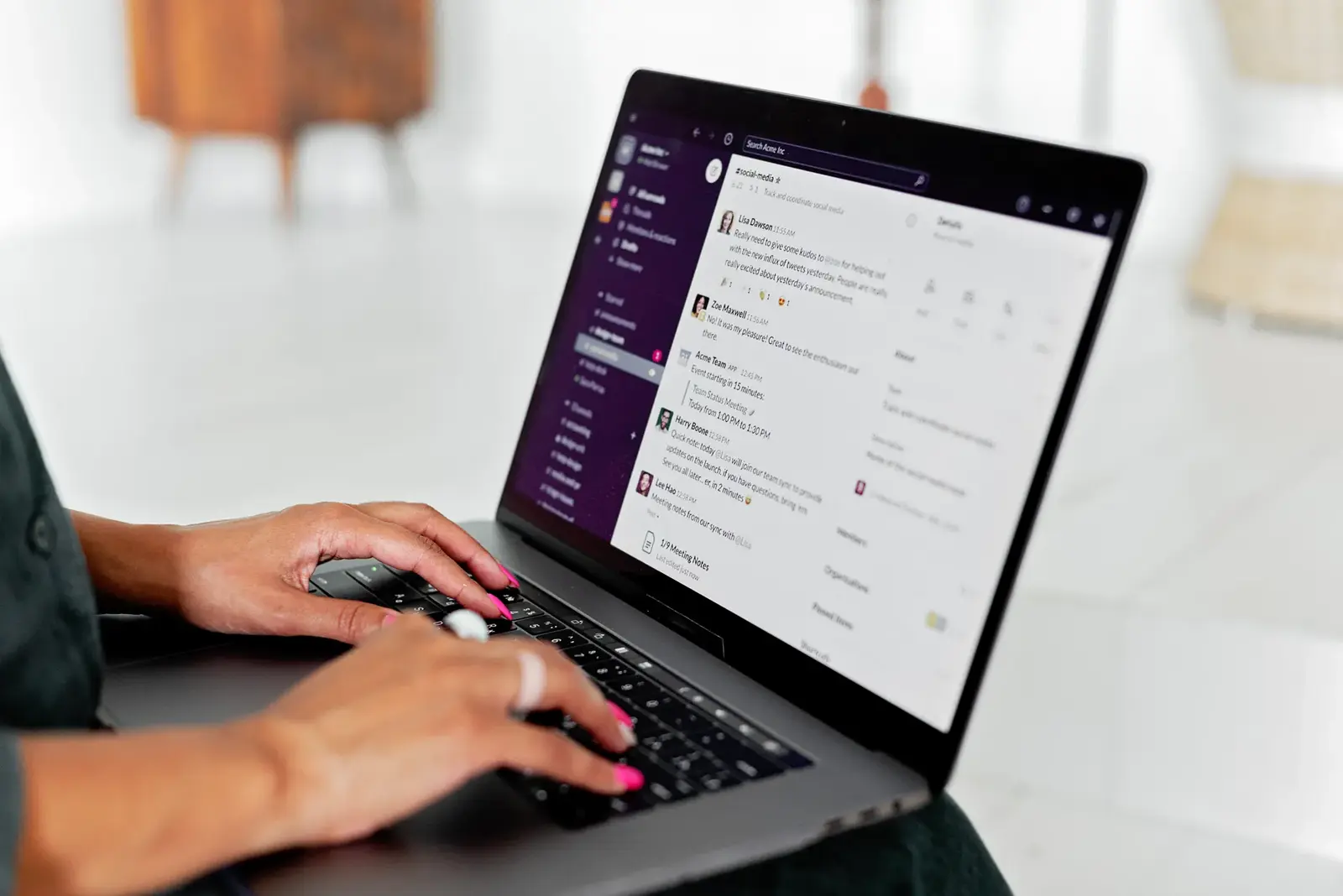
Setting up live chat for clinics to book patients and for healthcare lead generation works best with a clear, practical process. These steps help ensure your implementation runs smoothly and meets all requirements.
- Assess Your Clinic’s Needs
Identify the main services you want to promote, common patient questions, business hours, and patient types. Consider seasonal trends and the need for after-hours coverage.For example, a pediatric clinic may see spikes in inquiries during back-to-school season, while a dermatology clinic might get more questions about cosmetic procedures in the spring. List the top five questions your staff answers every week and prioritize these in your chat scripts. - Choose a Healthcare-Focused Live Chat Provider
Look for HIPAA compliance, calendar integration, automated intake, and healthcare specialization. Review demos, test customer support, and check for experience with clinics.Ask providers about their onboarding process, training resources, and support hours. Some vendors offer a dedicated account manager or setup assistance, which can speed up deployment and reduce errors. - Integrate With Clinic Systems
Connect the chat tool to your website, calendar, and CRM. Smooth integration leads to faster replies and fewer technical problems. If you use an EHR, consider linking the chat platform for easy record management.For most clinics, website integration involves adding a small code snippet to your site. Calendar and CRM connections may require API keys or login credentials. Test each integration thoroughly before going live to ensure data syncs correctly and appointments appear in the right place. Website integration is a key step to ensure chat works seamlessly. - Train Staff and Set Protocols
Make sure staff know how to use the chat, answer questions, and escalate issues. Prepare scripts for common topics and set clear policies for emergencies, privacy, and consent.Training should include role-playing common scenarios, reviewing privacy requirements, and practicing escalation procedures for urgent cases. Document protocols for handling sensitive information and ensure staff know whom to contact if they encounter a technical issue. - Monitor, Test, and Optimize
Regularly review chats to spot problems or delays. Track how many visitors become booked patients and adjust your chat process to improve results. Listen to patient feedback and fix issues quickly.Use analytics to identify drop-off points in the chat flow, such as questions that go unanswered or steps that confuse patients. Update scripts and workflows based on this data. Schedule quarterly reviews to assess performance and make improvements.
Following these steps helps set up a compliant, effective clinic live chat appointment booking system that consistently converts website visitors into patients.
Cost Considerations and ROI for Clinic Live Chat
- Pay-Per-Qualified-Lead Models: Many chat providers for clinics only charge for leads that meet set criteria, such as completing intake or booking an appointment. This model aligns costs with real results, so you avoid paying for spam or unqualified leads.
- Reduced No-Shows: Automated reminders and two-way chat let patients confirm or reschedule on their own. This keeps schedules full and revenue steady.
- Staff Time Savings: Automated chat handles many routine questions and intake tasks, freeing staff to focus on care and urgent needs. This can reduce overtime and workplace stress.
- ROI Measurement: The true value of live chat for clinics to book patients comes from the number of booked appointments, show rates, follow-ups, and new patient retention. Tracking these numbers allows you to adjust your system for better outcomes.
The cost of live chat solutions varies widely, with some providers charging a flat monthly fee and others using a pay-per-lead or usage-based pricing model. For small clinics, entry-level plans may start around $100 to $200 per month, while larger practices with higher volumes or advanced integrations could pay $500 or more monthly. Some platforms offer free trials or pilot programs, allowing clinics to test the system before committing. When evaluating ROI, consider not just the cost per lead, but also the value of increased bookings, reduced administrative workload, and improved patient satisfaction.
Hidden costs can include setup fees, integration charges, or additional costs for features like SMS reminders or multilingual support. Make sure to ask vendors for a complete breakdown of all potential expenses. Over time, clinics that actively monitor and optimize their live chat process often see a steady increase in conversion rates, which can quickly offset the initial investment.
Comparing Live Chat Providers for Clinics
With more live chat tools aimed at clinics, it’s important to compare options side by side. Some providers specialize in healthcare, while others offer general-purpose tools. Clinics should focus on the features that matter most for patient engagement, booking, and compliance.
| Provider | 24/7 Support | Healthcare Focus | Appointment Booking | Notable Features |
|---|---|---|---|---|
| Liveforce | Yes | Yes | Yes | Human+AI, pay-per-lead, free CRM, mobile app, 6× ROI for healthcare |
| Provider B | Yes | Partial | Yes | AI chat, basic intake, integrations |
| Provider C | No | Yes | Limited | Manual booking, HIPAA compliant, CRM integration |
| Provider D | Yes | No | No | General live chat, not healthcare-specific |
When evaluating options, go beyond upfront costs or long feature lists. Liveforce provides end-to-end support, with 24/7 live chat for clinics, direct appointment booking, and integrated CRM tools. Others may only cover parts of the process or rely on staff to handle intake manually. Look for clear pay-per-lead pricing, strong privacy guarantees, and actual results with other healthcare organizations. Onboarding support and responsive customer service also play a role in your clinic’s long-term satisfaction and return on investment.
It’s also helpful to request case studies or references from other clinics using the platform, to get a sense of real-world performance and support quality. Ask about uptime guarantees, response times for support tickets, and how often the software is updated. The best providers will be transparent about their processes and willing to customize solutions to fit your clinic’s unique needs.
How Liveforce Helps Clinics Increase Booked Patient Appointments
Liveforce was built to help healthcare practices improve conversion rates, from first inquiry to confirmed appointment. By focusing on compliance and efficient workflows, Liveforce eases staff workload and supports a better patient experience.
24/7 Human and AI Engagement
Liveforce keeps clinics connected to leads at all hours through AI and live agents. No inquiry is missed, even outside normal business hours. This constant availability helps clinics respond to patient needs and capture more bookings.
The combination of AI and human support means that common questions are answered instantly, while complex or sensitive issues are quickly escalated to trained staff. Clinics can customize chat scripts to reflect their brand voice and clinical protocols, ensuring consistency and professionalism in every interaction. This blend of human and technology is a key factor in effective healthcare lead generation.
Direct Calendar Integration and Scheduling
Liveforce embeds clinic live chat appointment booking within its platform. Patients pick and confirm times directly in chat, cutting extra steps and removing barriers to booking.
The system automatically updates appointment availability in real time, reducing double-booking and administrative errors. Clinics can set rules for appointment types, provider schedules, and buffer times, making it easy to manage even complex multi-provider practices.
Pay-Per-Qualified-Lead Pricing
Clinics pay only for leads that meet custom qualifications and complete intake. This pricing model keeps costs predictable and focuses investment on high-value patients.
Liveforce’s pay-per-lead approach means clinics can scale their investment up or down based on seasonal demand, marketing campaigns, or staffing changes. Detailed reporting helps clinics understand exactly where their leads are coming from and which marketing channels are most effective.
Free CRM and Mobile App
Clinics receive a free CRM for healthcare lead tracking. The mobile app gives staff access to leads, appointments, and intake info from anywhere, which is ideal for teams working remotely or across locations.
The CRM centralizes all patient interactions, making follow-up and ongoing communication easier. Staff can view chat transcripts, appointment details, and patient notes in one place, reducing the risk of missed information or duplicated effort.
Measured Results
Clinics using Liveforce have achieved up to a 6× ROI, turning more digital engagement into booked appointments. Liveforce is designed to make growth easier and help clinics manage appointments and patient relationships more effectively.
Liveforce also offers ongoing support and optimization advice, helping clinics refine their chat processes and maximize conversion rates over time. Regular updates ensure the platform stays current with regulatory changes and evolving patient expectations.
FAQ
1. How does live chat help clinics convert more website visitors into booked patients?
Live chat gives instant answers, screens leads, and lets patients book appointments directly. This reduces friction and increases the rate of conversion from visitor to patient.
2. What features should clinics look for in a live chat solution?
Clinics should prioritize HIPAA compliance, calendar integration, automated intake tools, 24/7 support, and CRM connectivity to engage patients effectively.
3. Is 24/7 live chat for clinics necessary?
Yes, having 24/7 live chat ensures no patient inquiry is missed. Clinics can capture leads outside standard hours and on weekends when staff aren’t available.
4. How does live chat support patient intake for clinics?
Live chat collects intake information, screens for eligibility, and pre-fills patient records. This saves staff time and improves data accuracy.
5. Can live chat platforms book appointments directly on clinic calendars?
Many healthcare-focused live chat solutions connect to calendars, so patients can see available slots and book instantly through the chat.
6. What compliance issues do clinics face with live chat?
Clinics must use HIPAA-compliant tools, secure data with encryption, and gather patient consent when collecting health information through chat.
7. How does live chat for healthcare lead generation compare to phone or email?
Live chat converts more visitors, responds faster, and automates data capture. This gives it an advantage over phone or email channels for lead generation.
8. What is the ROI of implementing live chat in a clinic?
Clinics can see strong ROI with more bookings, reduced no-shows, and lower admin costs, especially when using pay-per-lead pricing.
9. How quickly can a clinic implement live chat on its website?
Most clinics can go live with chat in a few days to a week, depending on how complex integrations and staff training are.
10. Does Liveforce offer live chat for clinics to book patients?
Yes, Liveforce provides 24/7 live chat with direct calendar booking, patient intake, and pay-per-qualified-lead pricing for clinics.